How to Design with Hyperlinks
User-friendly definitions, rules, and hacks for your next rpg pdf.

What are hyperlinks?
You probably know. But just in case: hyperlinks are what you click on to hop from place to place in digital spaces. They're foundational to the internet. So, why am I writing about hyperlinks? Because they're also a feature of pdfs and epubs.
There are four types of hyperlinks to remember:
- Internal links. These lead to somewhere else in the document, usually a different section, chapter, or page. We'll talk about common places later.
- External links. These link to somewhere outside the document, like a website. Remember, some e-readers don't support external links.
- Anchor links. These jump to somewhere else on the same page. This is useful on websites with long scrolls. Pdfs and epubs with fixed pages don't need them.
- Email links. Clicking on one of these will open your email client with an address already pre-loaded. It's use case in rpgs is likely limited.
Debating between pdf, epub, and web.
Why choose pdf?
Most designers prefer pdfs because they're broadly compatible across computers and give designers full control over the book's layout and formatting. They can also use a print-ready version of their pdf to make physical copies.
However, the pdf has its limitations. It's not responsive like most digital experiences, big file types can take forever to load, and its static dimensions tend to create subpar reading experiences across phone screens, tablets, and laptops.
Why choose epub?
Enter the epub. The epub is effectively HTML with the ability to change for different screen sizes. What the designer loses in control over layout and art placement, the reader gets in control over the typeface and type size. It's the best format for tablets, especially ones designed solely for reading.
I'm a famed epub hater, only because layouts are paintings and kindles are blowtorches—but even I must admit html is a beauty to work with. I'd almost recommend it full heartedly if it weren't for the last option.
Why choose web?
I firmly believe the future of rpgs lives on the shelf and on the web. The shelf because it's tangible, tactile, and smells like adventure. The web because it's the frontier. The web provides the best of both pdfs and epub—it gives the designer unparalleled control and limitless options, and it gives readers the accessibility and quality of life features they need. Web can support tools, video, and more.
The only downside to the web is the barrier to entry (which every full-stack web whatever just rolled their eyes at), the cost of hosting, and the thing plaguing everyone on the internet—internet rot.
Do I need hyperlinks in my work?
The answer is technically no, but if you're producing pdfs, epubs, or web—you have few reasons not to. (If you're using web you have no choice.) Any project longer than one page will benefit from hyperlinks. The larger and more intricate the product, the more valuable hyperlinks become.
Advice for designing hyperlinks.
If you're unsure how to create hyperlinks, look up guides for your preferred software program. Adobe InDesign and Affinity Studio have extensive first and third-party resources to get you started.
Below is a mixture of rpg-specific best practices and thought starters for how to make hyperlinks the secret ingredient to your game.
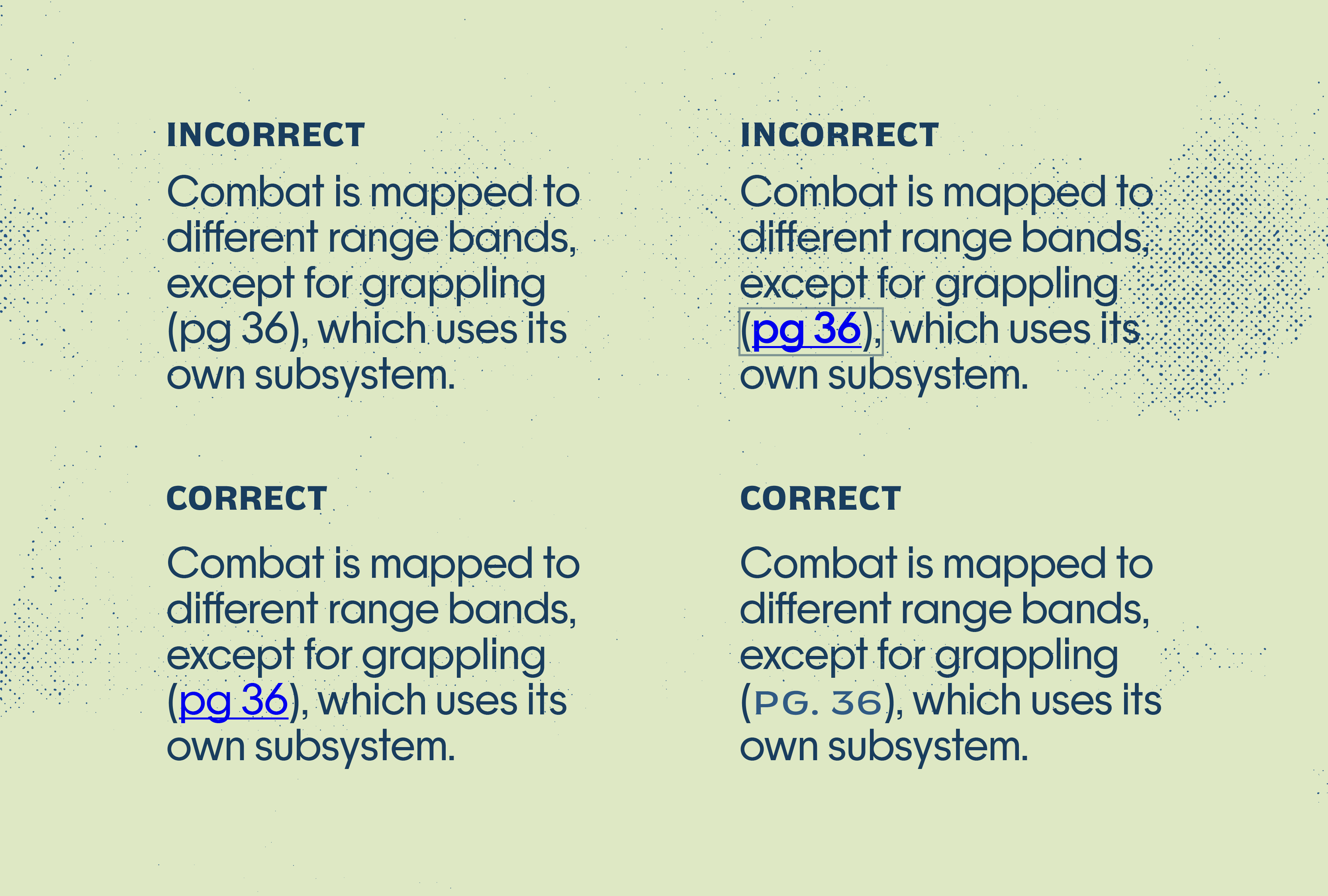
Make hyperlinks stand out (within reason).
The Web Content Accessibility Guidelines (WCAG) have specific suggestions for how to format links on the web—you know the look. Underlined. Electric blue. Sometimes bold. Sometimes boxed. It's great for web accessibility but overkill for most books. You want something perceivable but unobtrusive.
I recommend a consistent color, font, highlight, or combination of the three. You can also use underlined text since it's the web standard, but in most books it clashes with the overall look and feel. Whatever you do: I recommend reserving underlined text for hyperlinks or not using it at all.
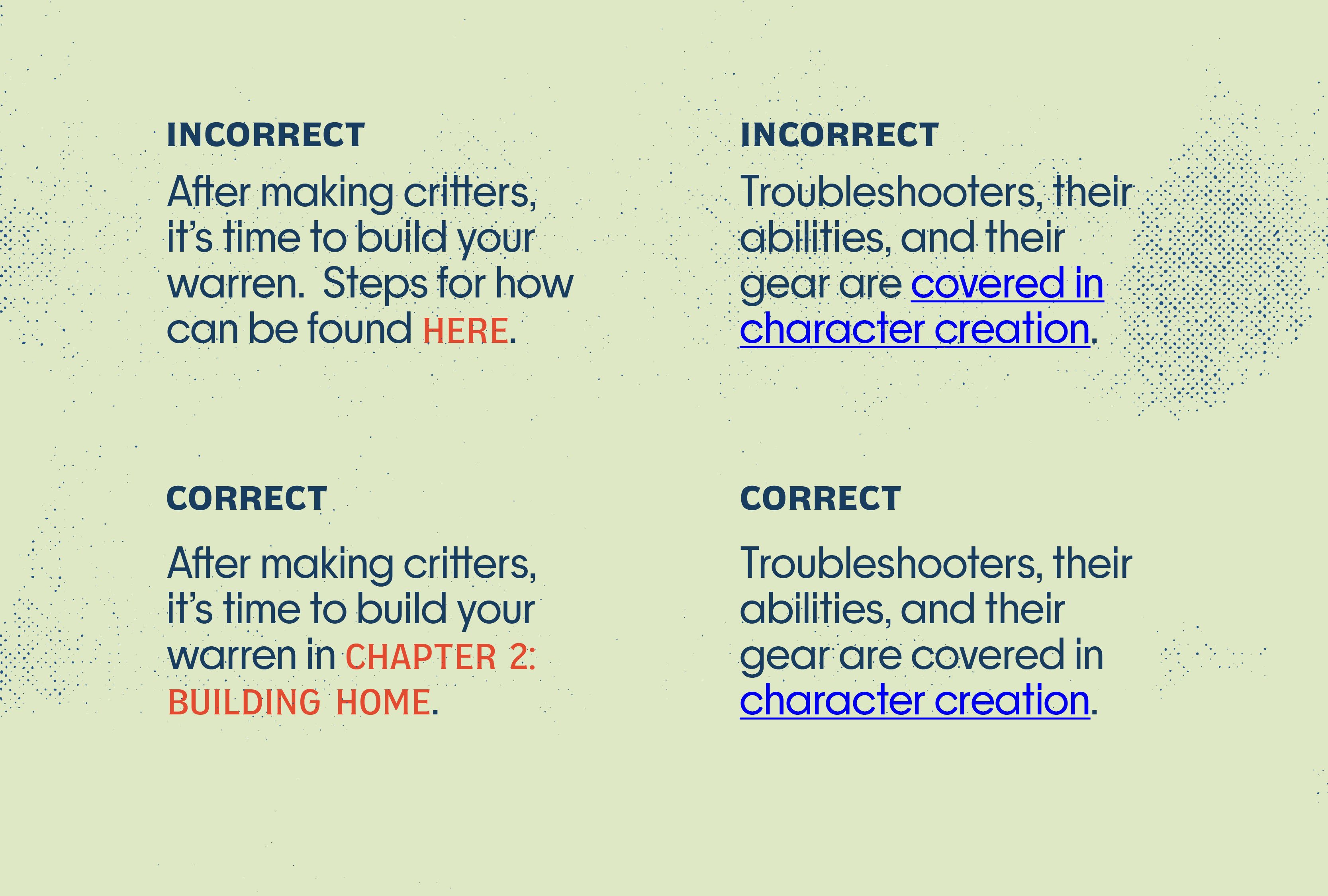
Clearly communicate the destination.
This is especially important for one-time hyperlinks used in body text. Hyperlinks should signal where they go, otherwise readers won't use them—or worse—they'll get annoyed when they do. The other reason you want to communicate the destination is for screen readers so its users aren't in the dark.
Here are some tips for communicating a destination:
- Don't use words like 'link to.' The point of a hyperlink is that you don't have to say it. It also creates a redundancy for screen readers.
- Hyperlink nouns. Skip verbs. Avoid hyperlinking entire phrases. You want to focus on the link's destination. This keeps hyperlinks short and consistent.
- Do not make raw URLs hyperlinks. The value of hyperlinks is that they create external links with natural language. URLs are intrusive and unnatural.
- Avoid vague destinations. Hyperlinks like "here, click here, and more" do not convey anything and actively hide a hyperlink's destination from users.
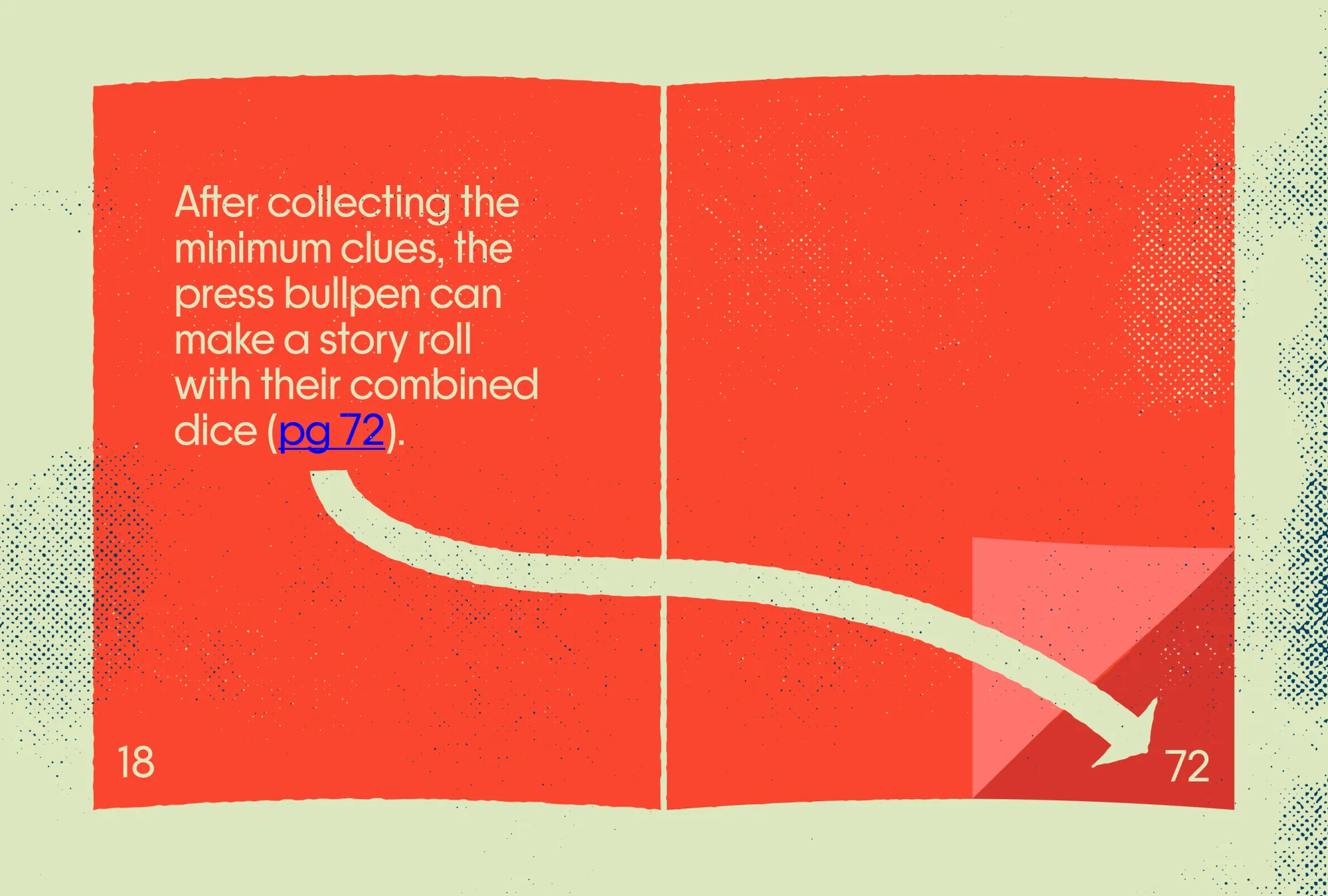
Hyperlink your inline cross-references.
Most cross-references tell you where to find more. The linked cross-reference will take you there. That's a quality of life feature that grows increasingly more valuable the bigger and more intricate your book becomes. If you want to build in this same functionality, but on hard mode, I'd hyperlink the index.
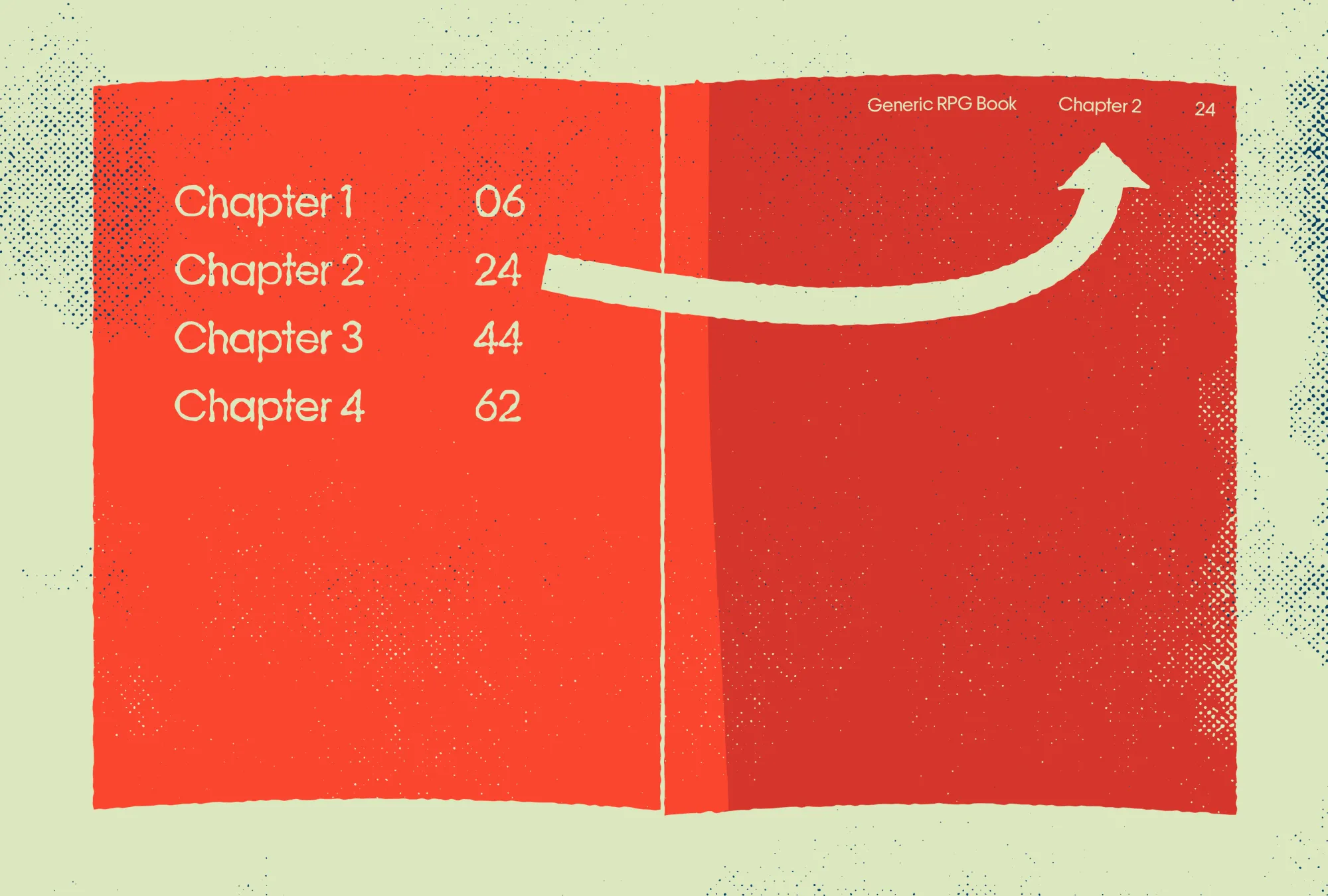
Hyperlink to and from your table of contents.
The table of contents should be more than an overview. With hyperlinks, it can serve as a central hub for pdf users. Every section, chapter, and sub-section can be hyperlinked. Even more valuable: those destinations can be hyperlinked back to the table of contents and their respective sections. The running headers in your pages' margins (the book title, section heading, and chapter heading) should be linked to your table of contents, section intro, and chapter intro respectively.
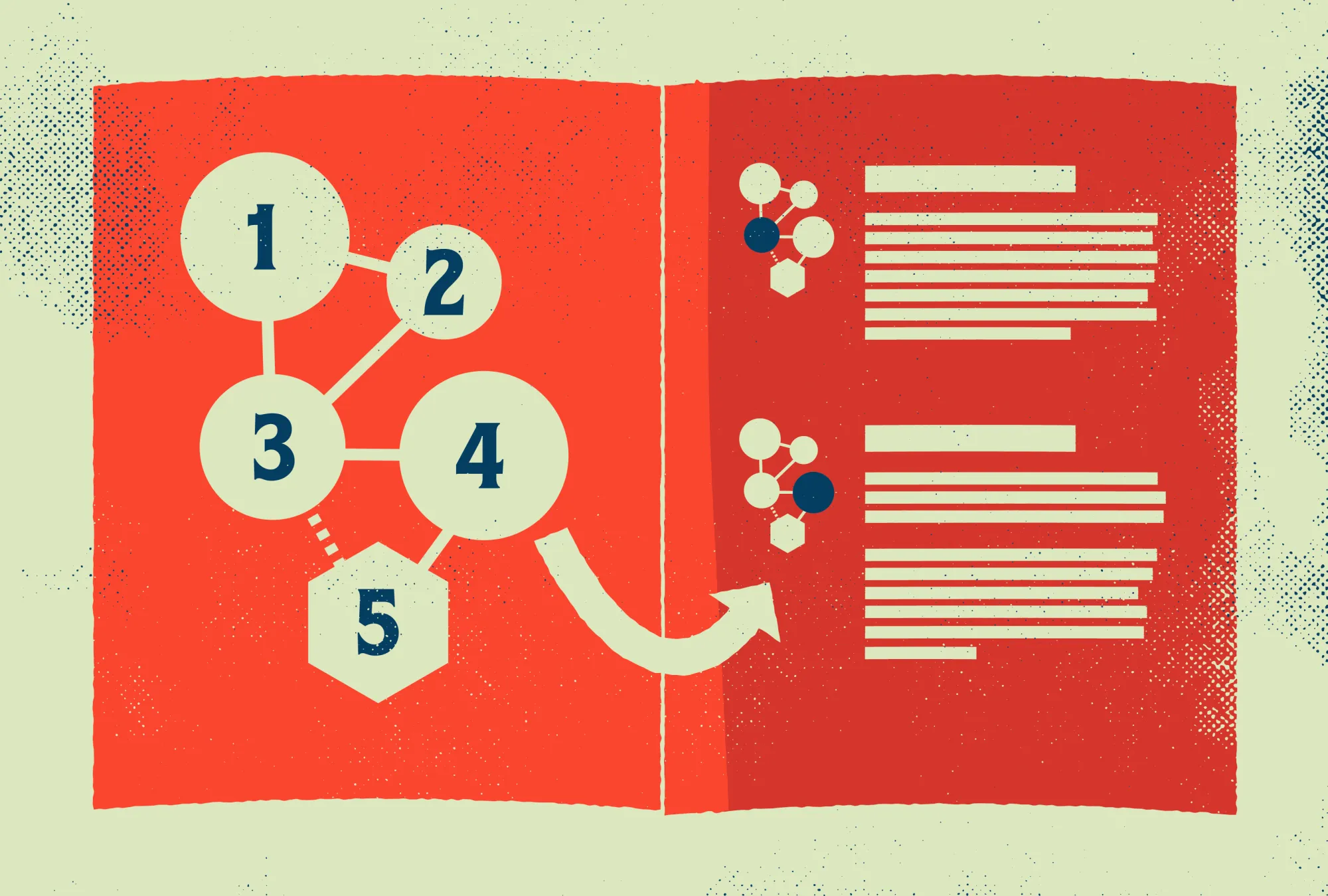
Turn your maps into an adventure dashboard.
Another interesting thing about hyperlinks is that they don't have to be strictly used in text. If your game uses maps, particularly maps with smaller mini-maps, you can hyperlink the labels or even the images themselves so that readers can "zoom in and out" through your adventure's dungeon or hexcrawl.
Closing thoughts on hyperlinks.
Hyperlinks are incredible when executed well. Ryan and Hunter over on The Weekly Scroll made it their mantra for a couple years because of how useful (and rare) they were. If you're interested in designing with hyperlinks, remember:
- Hyperlinks need recognizable and consistent visual differentiation to work well.
- Write actionable and specific hyperlink text. "Click here" is insufficient.
- Think about the future. Internal anchor links don't die like external links do.
- Hyperlinks are not a replacement for structural editing or pdf bookmarks.
If you're interested in learning more about hyperlinks and other elements in rpg graphic design and layout, check out the links below.
Until next time, I'll keep exploring.
 Slava Shestopalov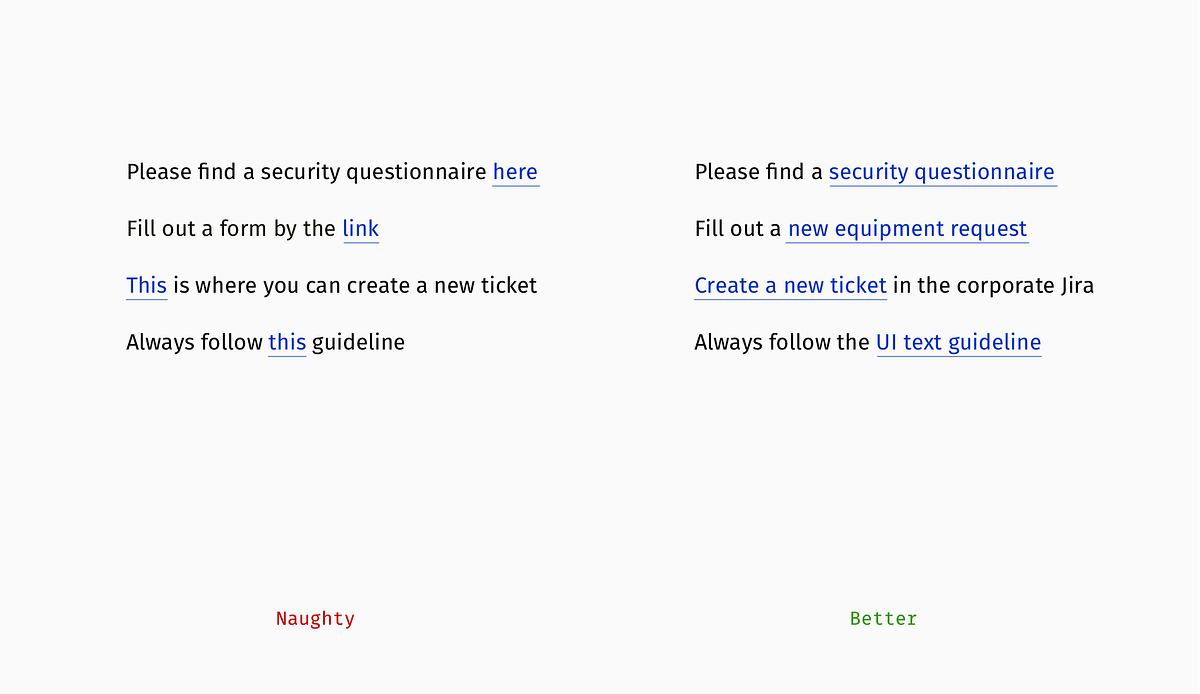
 Clayton Notestine
 Clayton Notestine
Explorers Design is a production of Clayton Notestine. If you liked this article, please consider liking, sharing, and subscribing.